Resumen de emparejamiento de switches
Cuando un switch y un controlador están emparejados, el controlador responderá a las señales de encendido, apagado o regulación de intensidad (dimmer) de ese switch. Los switches y controladores pueden emparejarse a través de la app Levven Controls o de forma manual.
Para más información sobre la relación entre switches y controladores, consulte la página de Relaciones Switch-Controlador.
Relaciones entre Interruptor y Controlador
Antes de comenzar los pasos de emparejamiento, energice el controlador conectándolo a la corriente o usando el kit de cableado Levven CTKL2 "Plug N Pair".
Emparejamiento de switches y controladores con la app Levven Controls
Emparejar switches y controladores a través de la app Levven Controls permite que los switches controlen de forma inalámbrica controladores específicos en toda la casa.
Una vez emparejado, el controlador responderá a los comandos de encendido, apagado o regulación de intensidad del switch asignado.
Cómo emparejar manualmente un switch y un controlador de Levven
Para emparejar manualmente un switch con un controlador, siga las instrucciones o el video a continuación:
Paso 1: Presione el botón del controlador
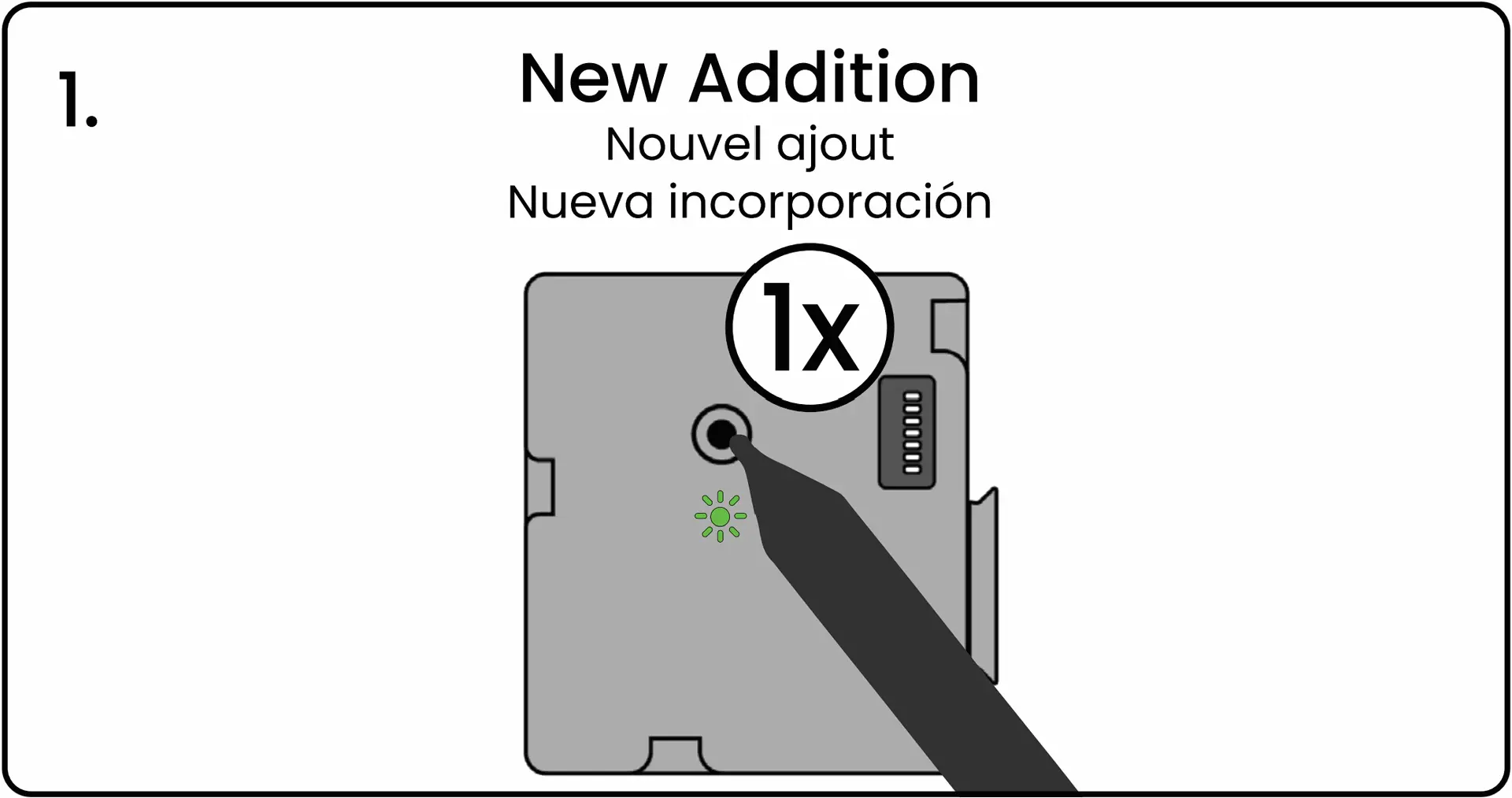
Con un bolígrafo, presione y suelte el botón de emparejamiento del controlador. El LED del controlador parpadeará en verde para indicar que está esperando una señal de emparejamiento.
Paso 2: Apriete ambos extremos del switch
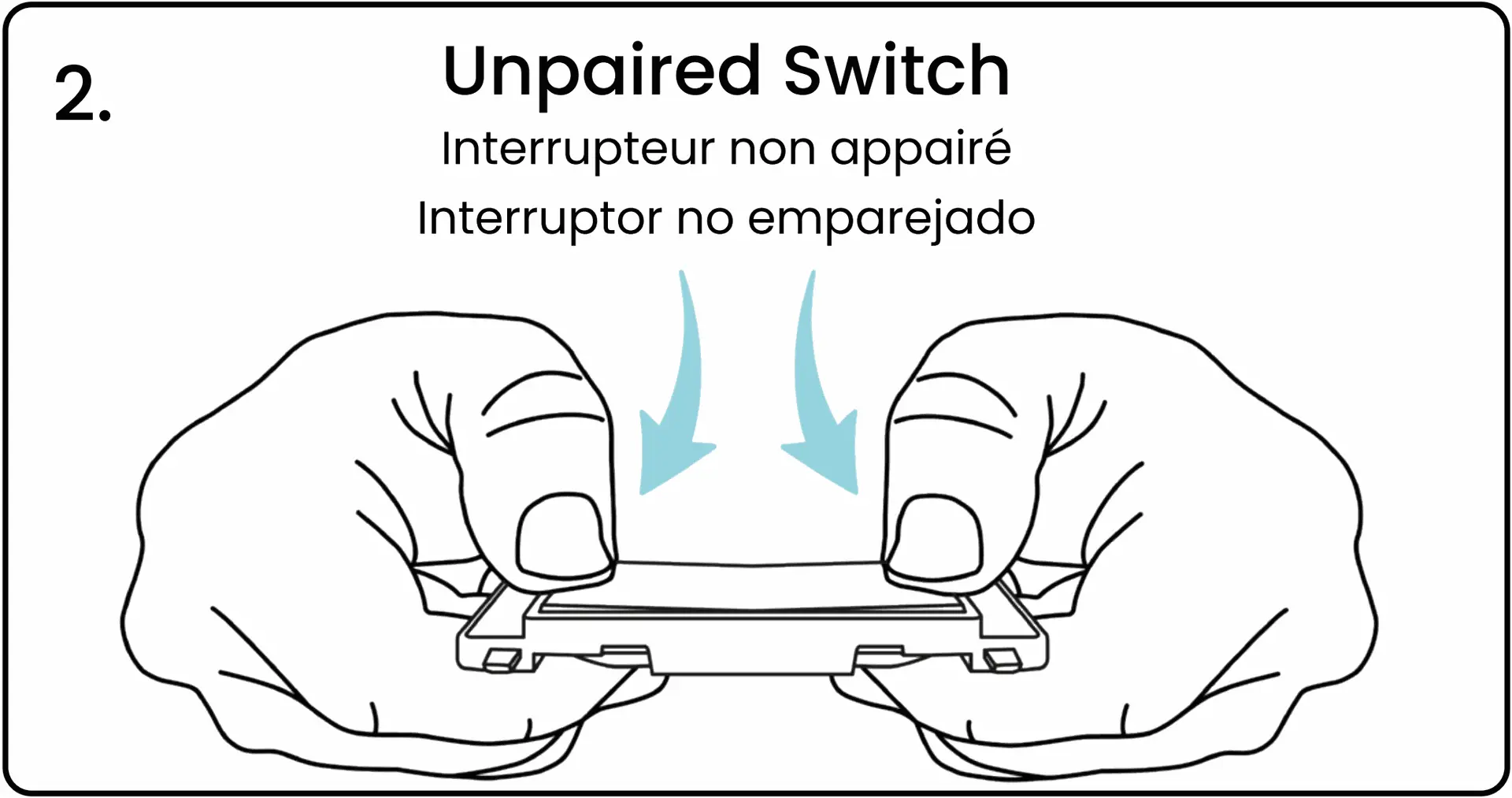
Apriete y suelte ambos extremos del switch al mismo tiempo. Al soltar los botones del switch, este transmitirá un código de emparejamiento. Vea el video para ver una demostración de esta acción.
Paso 3: El LED del controlador parpadea en rojo y verde
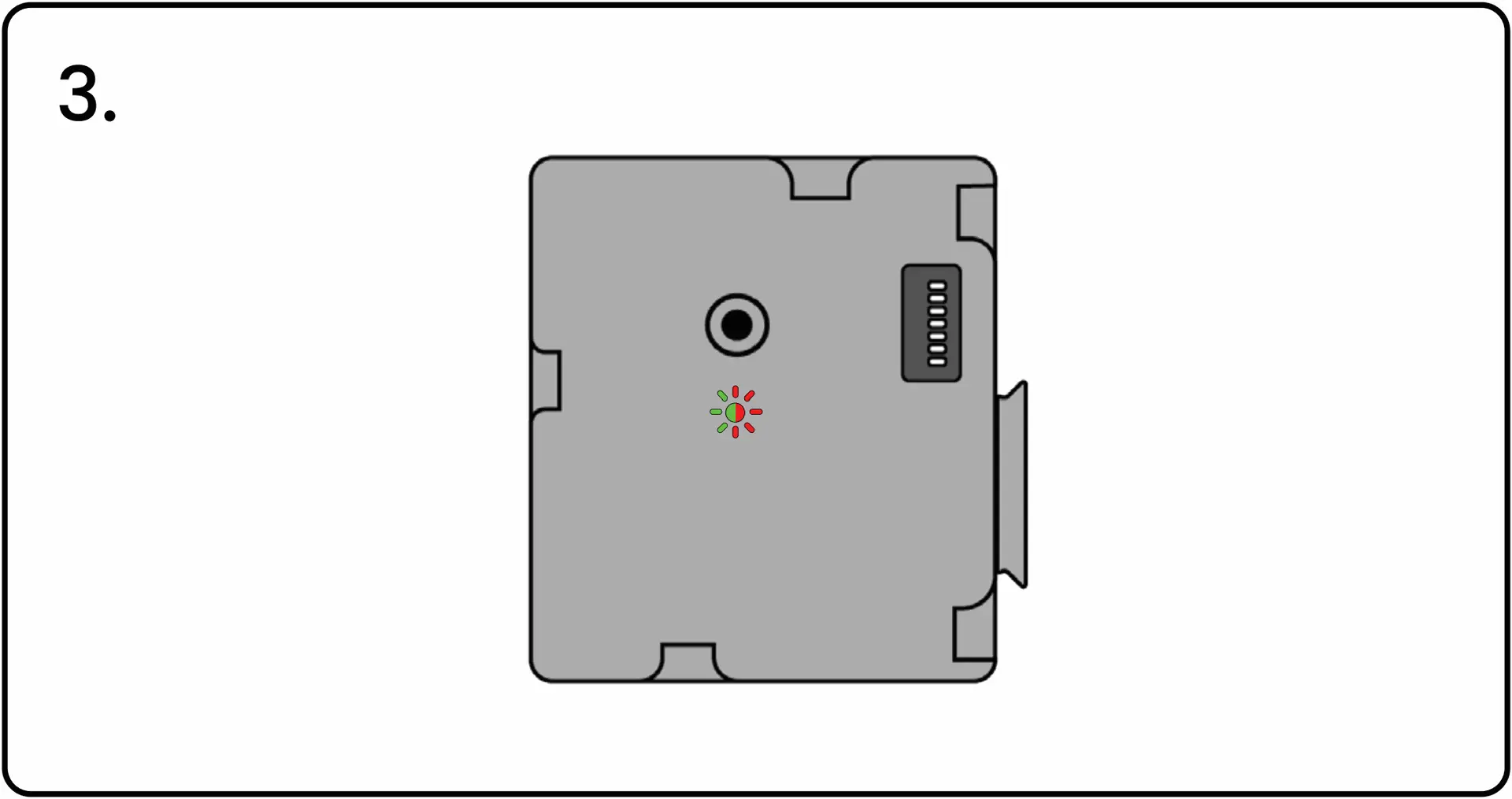
El LED del controlador parpadeará en rojo y verde para confirmar que la señal fue recibida. Si el LED no parpadea en rojo y verde, apriete nuevamente los extremos del switch para transmitir la señal de emparejamiento.
Paso 4: Presione el botón del controlador para confirmar
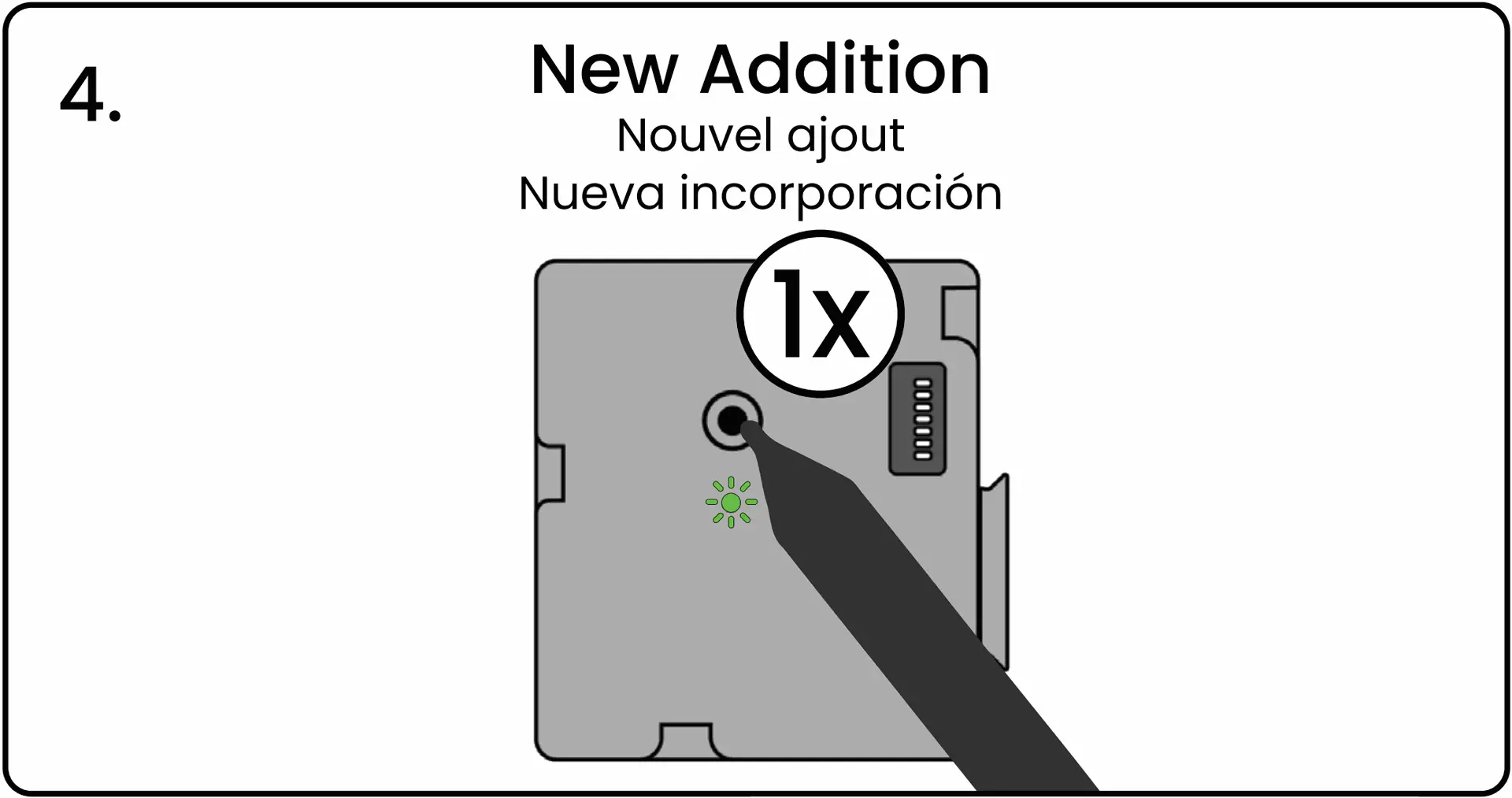
Cuando el LED esté parpadeando en rojo y verde, presione y suelte el botón de emparejamiento del controlador para confirmar el emparejamiento.
El LED parpadeará en verde para confirmar que el switch fue emparejado exitosamente. El controlador ahora responderá a las señales de este switch.