Controller Grouping Overview
This page provides an overview of how to group Levven Controllers into a home or existing controller group, with or without a Quick-Kit assembly. Review the video and instructions below for step-by-step guidance.
For more information on controller groups, review our Controller Home Group page.
Creating a Controller Home Group requires at least two controllers. Controllers in Quick Kit whole-home installation kits are grouped together at the Levven factory. Follow the procedure below to add new controllers to an existing group.
Controllers must be connected to power before they can be programmed or reset. Energize the controllers by connecting to power or by using the Levven CTKL2 'Plug N Pair' wiring kit. Follow all appropriate safety practices when working with electrical power.
How to Group Levven Controllers Using the Levven Controls App
This video outlines how anyone with a Levven controller can successfully pair it together to create, or add to, a controller group or a home group. This can be done with, or without, a quick-kit assembly.
How to Manually Group Levven Controllers
This process outlines how anyone with a Levven controller can successfully pair it together to create, or add to, a controller group or a home group. This can be done with, or without, a quick-kit assembly. Please review the video and instructions below:
Press Button on Controller Already in Group
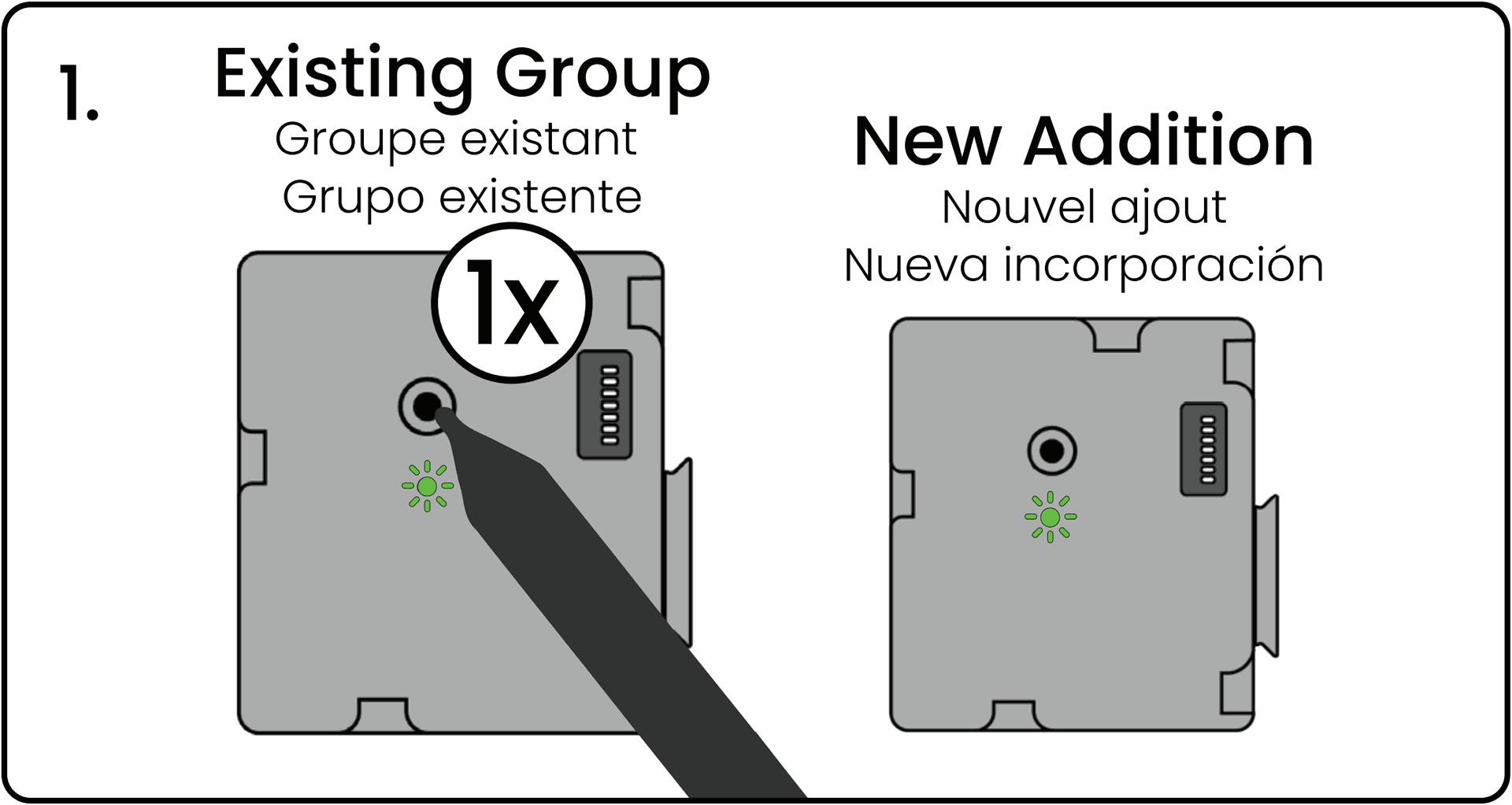
Using your finger or a pen, press and release the "Existing Group" controller's pairing button once. This initiates the grouping process. The controller’s LED will blink green.
Press Button on New Controller
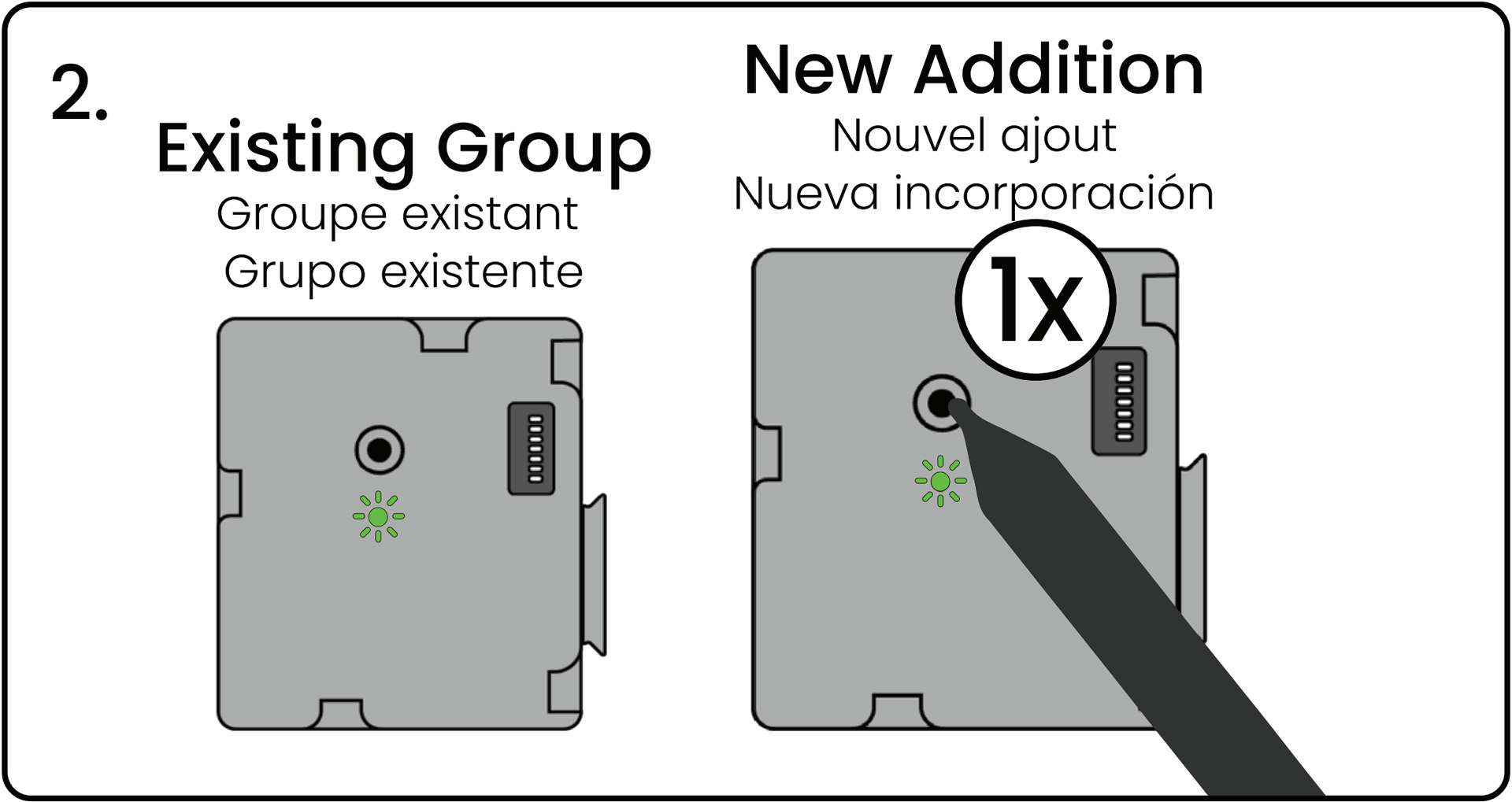
Press and release the pairing button on the "New Addition" controller being added to the group. This controller’s LED will blink green.
Both LEDs Blinking Red-Green
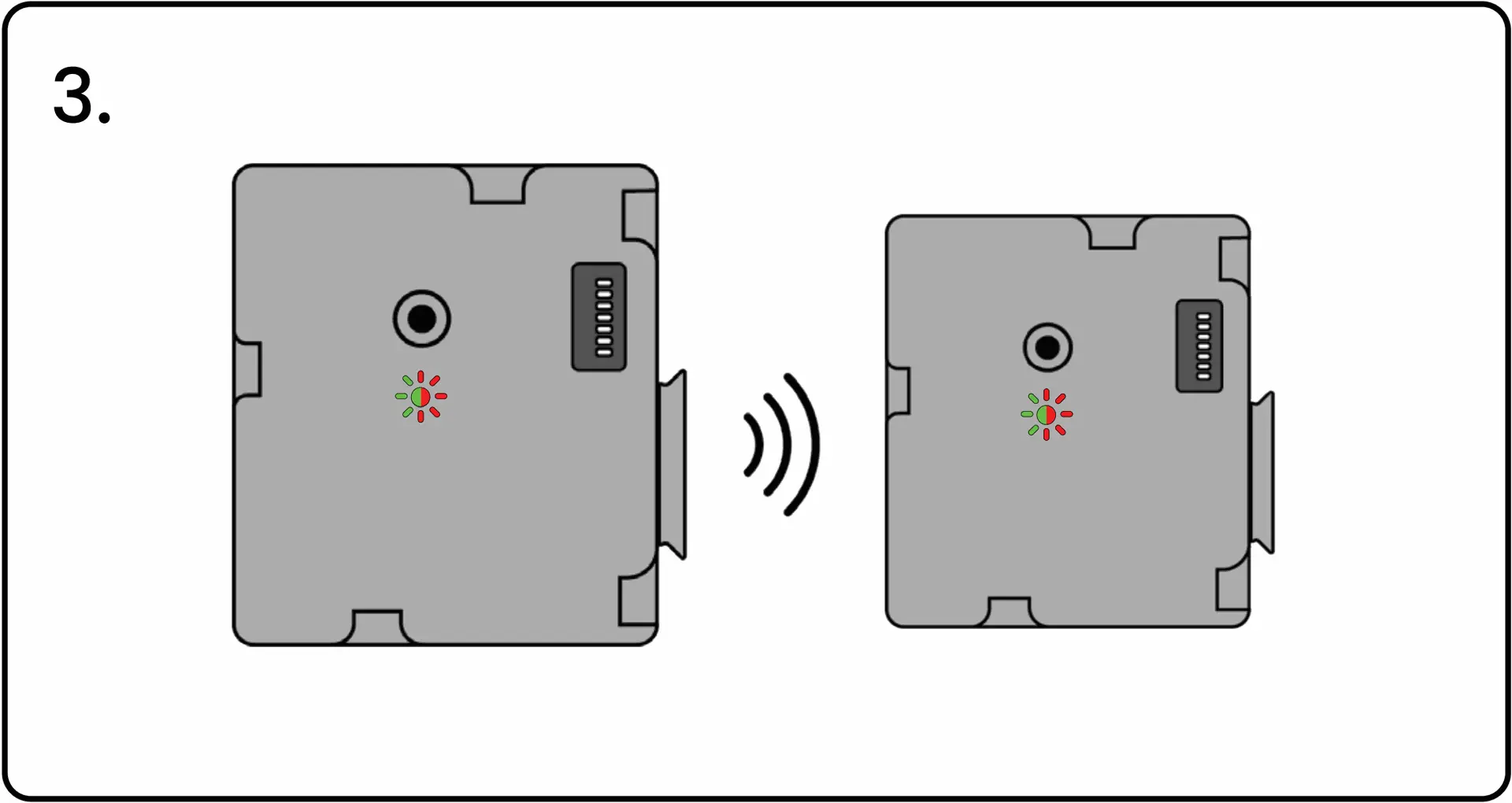
The LED on both controllers will start blinking red and green to confirm their group/pairing signals have been successfully exchanged.
Press First Controller's Button to Confirm
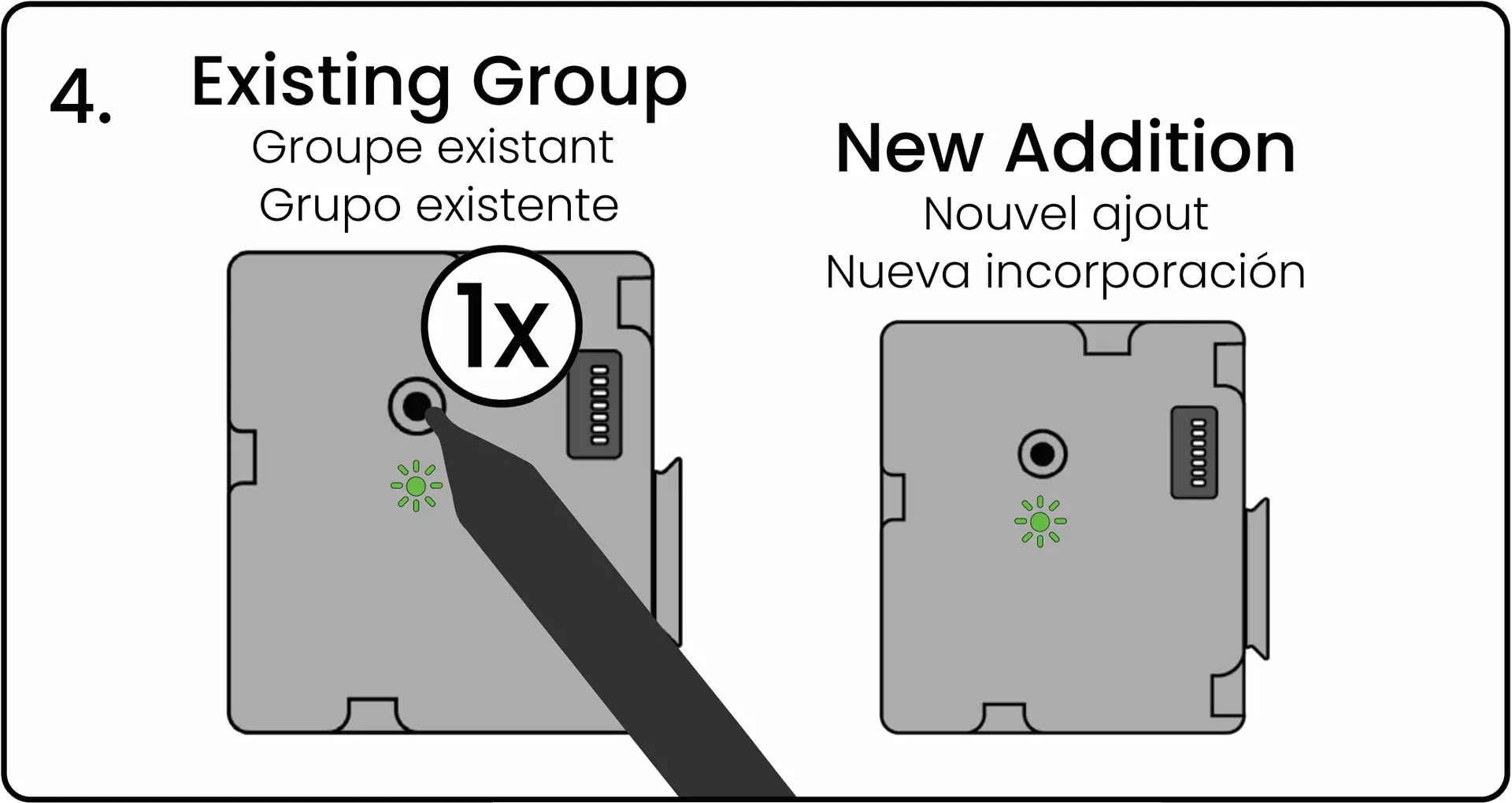
Press and release the pairing button on the first controller one final time to complete the grouping process. The LED on both controllers will flash green to confirm the grouping.
The grouping and pairing processes must be completed within 60 seconds after pressing the first 'pair' button. If controllers are not grouped or paired in 60 seconds, the controller will exit the pairing mode and you will need to restart.
How to Reset Unused Levven Controllers
If you need to reset a controller, please visit the Resetting a Controller page or by clicking the button below: